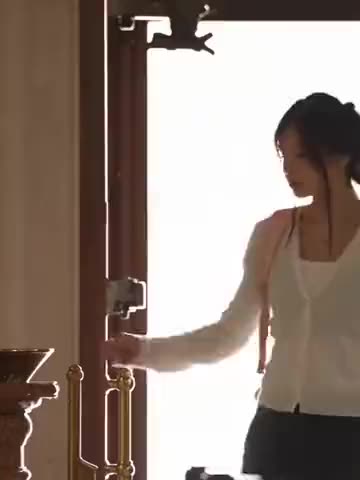
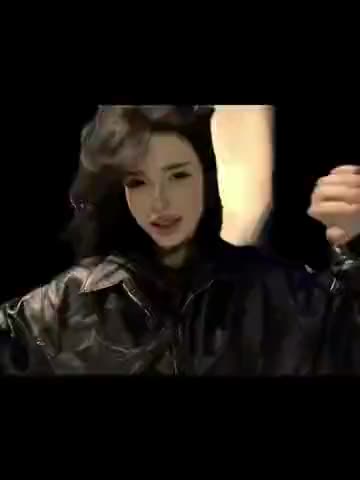
What is the Dom Perignon trend?
It is a 15-second lip-sync edit in four parts. It starts as an ordinary phone video at home and builds up: the cuts get faster, the background starts to flash, and by the end the screen is full of copies of the same face before she dances by the water. The song's loud, bratty chorus carries the whole thing, so the clip works as a mood video rather than a story.
People make their own versions to sing the chorus themselves, to show off a "main character" night, or to drop a friend into the echo shot. In Russian it is searched as «дом периньон тренд», «пошлая молли тренд» and «элджей дом периньон тикток».
Where does the original video come from?
The sound is "Дом Периньон" ("Dom Perignon"), a single by the Ukrainian band Poshlaya Molly (Пошлая Молли, fronted by Kirill Bledny) featuring the Russian rapper Eldzhey (Элджей, written Allj in Latin letters). It came out on September 17, 2021, as a standalone single on the band's label DROPBLED, with a music video released the same day. The song mixes hip-hop, hyperpop and guitar rock and reached the Russian Apple Music top 10.
Years later the chorus keeps coming back as a TikTok sound, and in October 2026 this particular edit with the night pool echo became one of the clips people wanted to remake. We could not confirm who posted the first version of this edit, so this page does not name its author or link a source. vswp keeps the song exactly as it plays in the trend's clip.
Who and what is in it?
There is one role: the girl with long black hair in a black T-shirt with white script lettering. The clip goes like this:
- The sofa (about 0-3 s). She sits close to the camera and starts singing straight into the lens.
- The living room and dark room (about 3-9 s). She sings and flexes in a room, then in a dark room where the background pulses and the frame flashes to the beat.
- The echo (about 9-11 s). By the lit pool at night, several copies of her face fan out across the frame, like a ghostly echo.
- The dance (about 11-15 s). Back to one of her, she dances by the turquoise water until the end.
On vswp you give a photo to this one card. You appear in every shot and in every copy of the echo effect, while the cuts, flashes, pool and song stay. If you like this effect, the Ghost Echoes trend uses a similar one.
How to make the Dom Perignon video with AI
- Open the Dom Perignon trend and sign in with Telegram. There is no password.
- The girl is already found: give her your photo (JPEG, PNG or WebP).
- Decide on "Keep the original look". On, the black T-shirt and long dark hair stay and only the face changes; off, your clothes and hair come from the photo.
- Press "Make the free preview" to see about 5 seconds at 480p with a small "vswp.app" mark; every new user gets one.
- Press "Create the full video". The price in Telegram Stars is shown before you start, and the Stars come back if a render fails or is canceled.
- Download the MP4 at 480p or 720p with the original sound, typically ready in minutes, or share it.
By starting a video you confirm you have the right to use it and the photo, so ask a friend before using theirs. More videos are in the trends list.
Which photo for each role?
- A close, sharp face. The sofa shot is a tight close-up, so use a front-facing photo in even light with nothing covering the face.
- A relaxed mouth. The AI follows the singing in the original, so a calm expression works better than a wide smile.
- Hair that is easy to see. With the original look off, your hairstyle replaces her long black hair in every shot and every echo copy, so pick a photo where it is clearly visible.
- A full-body photo for your own outfit. One person, head to toe, carries clothes and silhouette best into the pool dance.
- Flashes and fast cuts. Dark, flashing frames and quick motion are hard for generative AI; likeness can dip for a moment, and a take may need another try.
More tips: which photos work best for an AI video swap and how to recreate a trend with friends.