
What happens in this template?
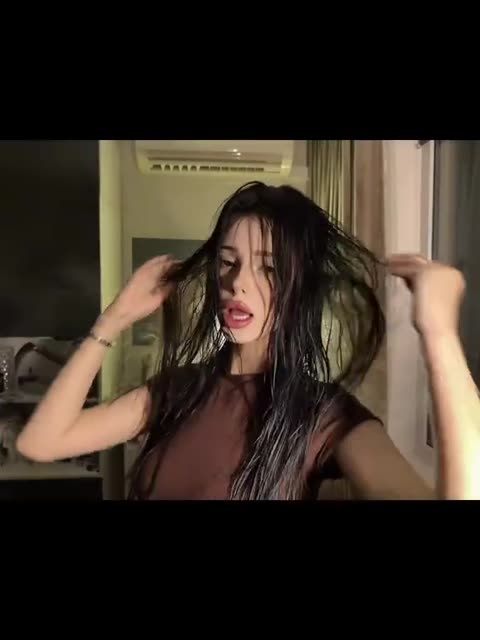
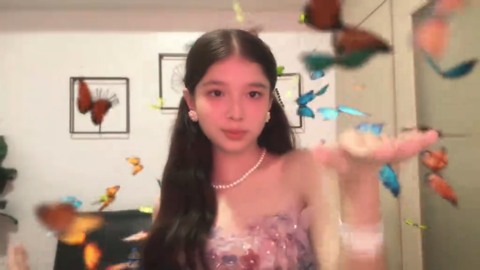
The opening shows a dance in a room with a couch and framed flowers. A bright transition changes the outfit, jewelry and lighting; butterflies cross the picture while the dance continues. These two appearances belong to one role, so you do not need a second photo for the final look.
Where does this butterfly transition come from?
The original publication belongs to @vernizelagrisolaa, whose display name is vernize. The video number matches the clip used for this template. TikTok labels its sound “suara asli - dHOT design.” That is the sound credit shown by the platform, rather than a separately verified commercial song title.
Butterfly Glow Up describes the butterfly transformation in this particular template. Use the linked publication to identify the recording, its performer and its sound. A similar dress transition by another account can have different choreography, framing or effects. This page does not claim that the linked account invented every butterfly transition or that this was the first version of the format.
Who and what is in the video?
The first part is a close dance in a patterned, loose shirt. The dancer turns toward the camera, moves her lips and brings both hands near her face. The couch and framed flowers establish the room; they remain a reference for the second look rather than a background from your portrait.
Around the fifth second, a bright foreground movement conceals the change. The dancer then appears in a pink embellished strapless outfit with a necklace and earrings, under pink-tinted light. Butterflies pass in front of and around her as the hand choreography and lip movements continue. A butterfly crossing the face is an intended effect, not another person to replace.
The two looks belong to the same solo role. Your photo should identify that dancer throughout, including the opening profile, hands near the cheeks and the final gestures. The original clip darkens near the end. Keeping that ending avoids introducing an extra pose or an unrelated scene after the music excerpt.
Make your version
- Open the butterfly transition template and sign in with Telegram.
- Add one JPEG, PNG or WebP portrait to the dancer.
- Turn on “Keep the original look” to retain the patterned shirt and the pink outfit in their respective parts of the video. A portrait without visible clothing also uses the source clothes.
- Check the price and use the free preview if it is available to you.
- Create the full video at 480p or 720p and download the MP4 with the original sound.
Which photo works best for Butterfly Glow Up?
Choose a sharp, well-lit portrait with one uncovered face. Crop away phone controls, borders and other faces before uploading. The photo supplies the identity; the room and butterflies come from the video. With the original-look option off, visible clothing in a reference can influence the result, so keep it on when the costume change matters.
For this close framing, the eyes, nose, mouth and jaw should be easy to distinguish. Choose even lighting and a natural expression. A strong color filter in the portrait can compete with the pink light already present in the final scene. Leave enough of the head visible to describe the hairstyle, without including a large unrelated room.
Review the preview for facial continuity and hand overlap. In the full result, also inspect the moment after the flash, the butterflies near the face and the closing fade. Generative video can change small details even when the identity remains recognizable. The step-by-step guide explains the controls; the Trends list contains other scenes.