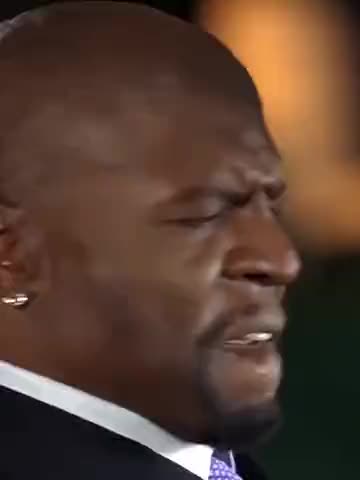
What is the Jim Carrey 90s trend?
It is a short montage built like a music video from 1996 that never existed. Every shot has the look of old film stock: soft grain, warm faded color, slightly blurred edges. The hero has the bowl-cut fringe and rubber-faced grin people know from Jim Carrey's mid-90s comedies, but here he is dressed as a hip-hop icon of the era: a backwards cap, a white T-shirt, a dark leather jacket, a thick silver chain and rings on his fingers.
The joke is the mismatch. The goofiest face of 90s comedy plays it completely straight as the toughest man on the block, and the edit cuts from one boast to the next without a wink. That is why people make their own: putting yourself, your brother or your most harmless friend in the hero's place turns the clip into a personal "origin story" to post or send. It is searched as the Jim Carrey AI trend, the Jim Carrey 90s rapper edit, the Jim Carrey grillz video and the 90s street legend AI video.
Where does the original video come from?
The clip is not a scene from any of Jim Carrey's films, and he did not act in it: it is an AI-generated edit made to look like archive footage. The bowl-cut fringe recalls his Lloyd Christmas haircut in "Dumb and Dumber" (1994), which is part of why the look-alike reads instantly. We could not confirm who made the first version or when it first went viral, so this page does not link a source. vswp users asked for it, and the trend was added in October 2026 from a copy with the on-screen captions removed so that only the footage and the music remain.
Who and what is in it?
There is one person to replace: the hero, who is in every scene. The clip runs about 19 seconds through six moments:
- The crew. He stands on a city sidewalk with friends in leather jackets and chains, their arms around his shoulders.
- The grills. A close-up: he pulls his lip down with one finger to show a full set of diamond grills and grins into the lens.
- The ring. He wins a boxing match and is handed the title belt.
- The corner. A quick shot of him in the corner of the ring.
- The cash. He sits and counts stacks of money.
- The alligator. He walks down the street with an alligator on a leash, as calm as if it were a dog.
In your version the six scenes, the grain, the camera and the soundtrack stay; only the hero's face and look change.
How to make the Jim Carrey 90s edit with AI
- Open the Jim Carrey — 90s Street Legend trend and sign in with Telegram. There is no password.
- The hero is already found in all six scenes. Give him your photo (JPEG, PNG or WebP).
- Decide on "Keep the original look". On, the cap, jacket, chain and boxing outfit stay and only the face and hair change; off, the clothes and hair come from your photo.
- Press "Make the free preview" to see about 5 seconds at 480p with a small "vswp.app" mark; every new user gets one.
- Press "Create the full video". The price in Telegram Stars is shown before you start, and the Stars come back if a render fails or is canceled.
- Download the MP4 at 480p or 720p with the original sound, typically ready in minutes, and share it.
By starting a video you confirm you have the right to use it and the photo, so ask a friend before you make them a 90s street legend. More clips are in the trends list.
Which photo works best?
- A clear face looking at the camera. The grills close-up fills the frame with the hero's face, so a sharp, evenly lit, front-facing photo keeps the likeness where it matters most.
- A relaxed, neutral expression. The edit gives the hero his own grin and his own poses in each scene; a photo with a calm face lets those expressions come through naturally instead of copying one fixed smile.
- "Keep the original look" on for the full costume. The backwards cap, chain and leather jacket are half the joke. Leave it on to keep them; turn it off only if you want your own clothes in every scene.
- One person in the photo. A group shot can mix up who becomes the hero.
- Generative AI, not frame-exact editing. Fast cuts, the hands at the mouth in the close-up and the boxing scene can need another take.
More tips: which photos work best for an AI video swap.