What is the Fallen Angel trend?
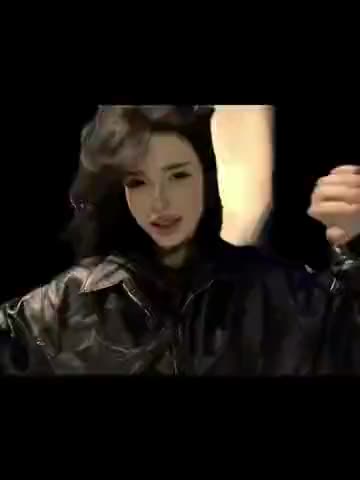
It is a Halloween reveal in two parts. The first part is ordinary on purpose: a night street, a dancer turned away from the camera. Then the cut lands, and the second part is all costume. The poster frame shows the finished look up close: bright crimson hair, a dark silver halo ringed with spikes and small hanging crosses, white face paint with black streaks running down from the eyes like ink tears, pink eyes and black lips with a sly smile. Black feathers cover the shoulders, a silver ribcage-shaped breastplate with spiderweb details and chains sits on the chest, and a feather-shaped tattoo climbs one bare arm. Everything is lit by a deep red light.
The idea behind it is the classic fallen angel: an angel thrown out of heaven, the halo kept but turned into something sharp and dark, the white wings turned black. It sits naturally next to the devil, vampire and witch looks people post at the end of October, but it reads more like dark fantasy cosplay than horror.
Where does the original video come from?
We have not confirmed who first posted this exact clip, so this page does not link a source and does not name the dancer. What is visible on the trend page is the clip itself: about 19 seconds, one person, a dance on a night street that cuts to the red room with the full fallen angel costume. The detailed costume, the colored contact lenses and the makeup suggest a cosplay creator's Halloween video rather than a quick filter.
The trend page also explains how vswp handles the makeup: if the face in your photo already has character makeup, it is kept; otherwise a Halloween makeup style is picked at random and kept the same through the whole video, so your face does not change style between shots.
Who and what is in it?
There is one person to replace: the fallen angel. What the video keeps from the original:
- The opening. The dance on the street at night, which starts with the back turned to the camera, so the face is first seen only after the turn.
- The cut. The jump from the street to the red room, timed to the music.
- The costume. The black feather wings and shoulders, the spiked halo with crosses, the ribcage breastplate, the chains and the arm tattoo.
- The light and camera. The deep red light of the room and the close, selfie-like framing of the second part.
One photo is enough: your face appears in both parts of the clip.
How to make the Fallen Angel video with AI
- Open the Fallen Angel — Halloween Dance trend and sign in with Telegram. There is no password.
- The person is already found. Add one photo of yourself (JPEG, PNG or WebP).
- Keep "Keep the original look" on to keep the wings, halo, crimson hair and breastplate with your own face; turn it off if you want the clothes, hair and silhouette to come from your photo instead.
- Press "Make the free preview" to see about 5 seconds at 480p with a small "vswp.app" mark; every new user gets one.
- Press "Create the full video". The price in Telegram Stars is shown before you start, and the Stars come back automatically if a render fails or is canceled. You get an MP4 at 480p or 720p with the original sound, typically in minutes.
Making it for a friend? Ask first: by starting a video you confirm you have the right to use the photos. For party ideas, read Halloween videos with friends; for another dark look, try the Baphomet transformation or the Halloween Devil Transformation, or browse the trends list.
Which photo works best?
- A clear, front-facing face. The red-room part is a close-up looking straight into the camera, so a sharp photo with both eyes visible, no sunglasses and no hat gives the AI the most to work with.
- Your own makeup counts. If you already did a Halloween look, a photo with that makeup keeps it in the video; a clean face gets a makeup style picked for you.
- Even light. The scene adds its own red light; a photo in plain daylight blends in better than one taken under colored party lights.
- Hair doesn't matter much. With "Keep the original look" on, the crimson hair and the halo stay as in the clip, whatever your hair looks like.
- One person per photo. Crop out friends and pets so the face is not mixed with someone else's.
More tips: which photos work best for an AI video swap.