What is the Montagem Miau trend?
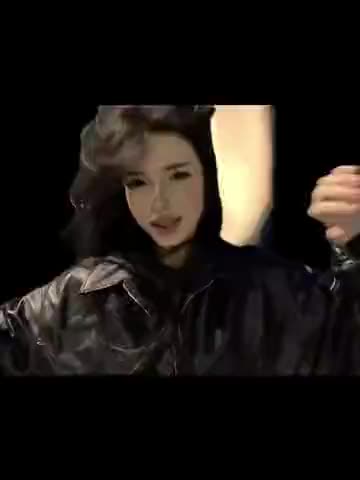
It is a short, close-up lip-sync, about 13 seconds long. The performer fills most of the frame, glances to the side and back, and mouths the track in time with the beat, while the lights of a city spread out below her under a dark, cloudy sky. A purple light from one side tints her hair and face, which gives the clip its dreamy, slightly unreal look.
People make their own versions because the song is instantly recognizable and the setup is flattering: a crown, soft colored light and a night view. It works as a "princess" moment, a joke about being someone's kitten, or simply a pretty clip to post with a catchy sound. It is searched as Montagem Miau, montagem miau miau, meow meow song, Lenar Montagem Miau and the tiara lip-sync.
Where does the original video come from?
The sound is "Montagem Miau" by Lenar, released on the Montagem Miau EP on September 20, 2025. "Montagem" is the word Brazilian funk producers use for their edits and mashups, and the track is built around a playful chorus about a little cat that keeps meowing. Its meow refrain made it a common soundtrack for cat meme edits, and from there it spread to lip-syncs like this one.
We could not confirm who posted this tiara clip first, so this page does not name the performer or link a source. vswp keeps the sound exactly as it is in the trend's clip.
Who and what is in it?
There is one role: the woman in the foreground. What is visible in the clip:
- The look. Long, straight blonde hair, a silver tiara set with sparkling stones, a dark top, a delicate necklace with a heart pendant.
- The light. A strong purple light from the side, with the rest of the scene in the cool tones of the night.
- The view. A high vantage point over a city at night: lit streets, towers and windows far below, clouds above.
- The performance. She mouths the song, turns her eyes and head to the side and back, and keeps her face close to the camera the whole time.
Everything apart from the performer stays as in the original.
How to make the Montagem Miau video with AI
- Open the Montagem Miau trend and sign in with Telegram. There is no password.
- The performer is already found: give her your photo (JPEG, PNG or WebP).
- Decide on "Keep the original look". On, the tiara, top and necklace stay and only the face and hair change; off, the look comes from your photo.
- Press "Make the free preview" to see about 5 seconds at 480p with a small "vswp.app" mark; every new user gets one.
- Press "Create the full video". The price in Telegram Stars is shown before you start, and the Stars come back if a render fails or is canceled.
- Download the MP4 at 480p or 720p with the original sound, typically ready in minutes.
By starting a video you confirm you have the right to use it and the photo, so ask a friend before using theirs. More clips are in the trends list.
Which photo for each role?
- A big, sharp face. The camera stays close for the whole clip, so use a front-facing photo with even light and nothing covering the face.
- A calm mouth. The AI follows the singing in the original, so a relaxed expression works better than a wide smile.
- Want the tiara? Turn "Keep the original look" on and the crown stays. With it off, your hair and clothes come from the photo, and a crown appears only if your photo has one.
- Mind the colors. The scene adds its own purple light, so a natural, unfiltered photo blends in better than one that is already heavily tinted.
- The side glance. Quick turns of the head are hard for generative AI; likeness can drift for a moment, and a take may need another try.
More tips: which photos work best for an AI video swap and glasses, hats and masks in an AI swap.