What happens in this Hogwarts dance?
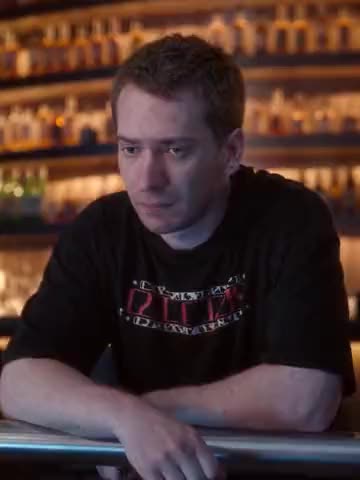
Harry starts in the foreground, with Ron on the left and Hermione on the right. The video moves through Ron’s solo, Hermione’s solo and a close-up of Harry before returning to the group. Those are repeated appearances of the same three characters, so each character has one photo card rather than a new card for every camera angle.
The snowy castle scene is the default background. You can keep that setting for a version that follows the supplied clip, or choose a different place for the whole dance. The footage supplied for this template is the reference for its movements and framing. A verified original publication link is not available here, so the template does not claim a publication date, creator credit or view count.
How to make your own Hogwarts Gangnam Style
- Open the Hogwarts Gangnam Style template and sign in with Telegram.
- Add a photo to Harry’s center card, Ron’s left card, Hermione’s right card, or any combination. A character without an assigned photo stays as in the source.
- Choose whether to keep the original look. With that option on, the assigned character keeps the source clothing. With it off, the appearance comes from the photo.
- To change the location, describe it in Background, upload a background image, or use both. For example, describe a sunny garden with a stone path. A photo can specify the garden’s architecture and colors.
- Save the settings or start the video; starting also saves the background fields. Check the displayed price before making the full version.
- Download the finished MP4. Eligible new users can first make the free preview offered in their account.
Which photos work for the three roles?
Choose one clearly visible person per photo. A sharp face helps in Harry’s close-up; a photo with visible clothing helps define an outfit for Ron’s and Hermione’s wider views. Avoid group photos, heavy blur and hands covering the face. Use the original-look option if you want to retain the school outfits instead of transferring clothes from the images.
You can assign the same photo to several roles deliberately, or give each character a different friend’s photo. The assignments belong to the characters throughout their appearances, including moments when only part of a person remains at the edge of the picture. Ask friends before using their photos and use images you have permission to upload.
For a background reference, prefer a clear location with room for three people. It is a scenery reference, separate from the character photos. People in the location image are not additional cast members. Describe the same location as the photo if you use both inputs; conflicting descriptions can make the setting less predictable.